 n8n Automation Hub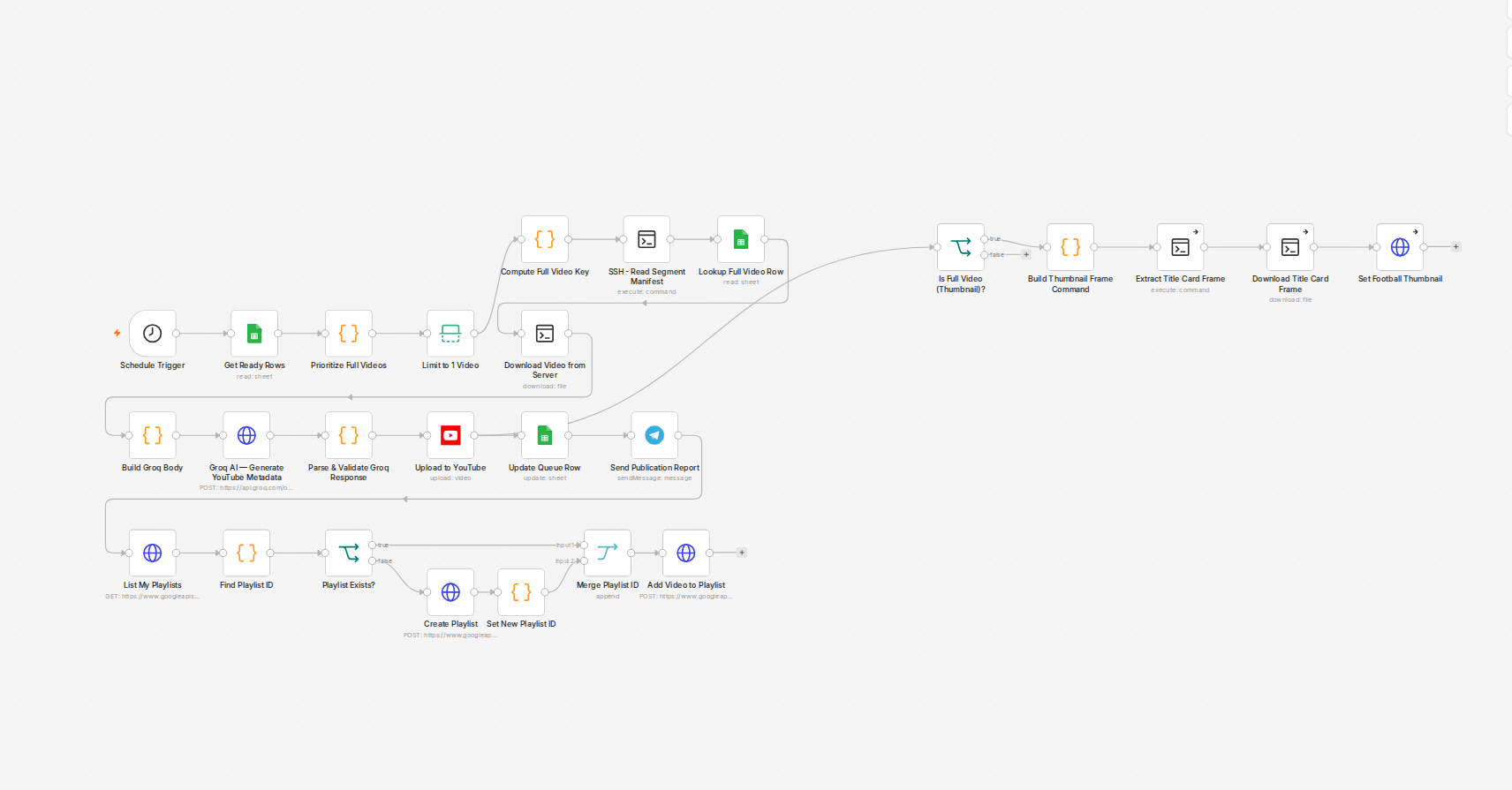
A queue sheet with a status column
The publisher workflow reads a Google Sheet where each row is one short clip: a video_id, a status (ready / published), and metadata for the upload. A scheduled trigger picks the first row still marked "ready," publishes it to YouTube, and writes the resulting status and video URL back to that row. Straightforward, and it had been running three times a day for weeks without incident.
Why matching on video_id looked fine
The Update node's `matchingColumns` was set to `video_id` — find the row with this id, write these new values into it. That's a completely normal pattern for a Sheets update, and it worked correctly for a long time, because most of the time the id being matched genuinely was unique enough not to collide. The problem was structural, not occasional: every parent video in this pipeline generates a handful of short clips with the same small set of generic ids — `01_hook`, `02_test2`, and so on — reused fresh for every new video. `video_id` was only unique *within* one video's clips, never across the whole sheet.
What actually happened on the day it broke
A run published one row correctly, then went to write `published` back to it — and matched a different, older row that happened to share the same `video_id` from a completely different video. That older row got overwritten with the new run's status and URL. The row that had actually just been published stayed marked `ready`. The next scheduled run picked it up again, saw a "ready" row, and published it a second time — a genuine duplicate upload, not a retry of a failed one. Collateral damage went further: the wrongly-overwritten row's own real published URL, from days earlier, was gone too, replaced by data that had nothing to do with it.
The fix
`matchingColumns` changed from `video_id` to `row_number` — a value that's unique by construction, one row, one number, no reuse possible — and the field being written was changed from a hardcoded `0` to the actual row number of the item currently running. The update now can only ever land on the row that triggered it.
The lesson generalizes past this one workflow
Any Sheets-based queue where "update the row I just processed" uses an id field for matching is only as safe as that id's uniqueness *across the entire sheet*, not just within the group it was generated for. An id that looks unique because it's descriptive — `01_hook`, `intro_clip`, `step_3` — is exactly the shape that repeats once there's more than one parent item in the same sheet. The safe match key is whatever the sheet actually guarantees is one-of-a-kind: a row number, a UUID, a timestamp — never a label.
What the update node looks like now
I re-read the production publisher this story came from. The Google Sheets update node uses matchingColumns: ["row_number"] and writes four values: status set to published, the youtube_video_id returned by the upload, a published_at timestamp, and row_number itself, taken from the item that was picked at the start of the run ($('Limit to 1 Video').item.json.row_number) rather than from whatever item happens to be in front of the node. That last part is the difference between updating the row that was processed and updating some other row.
Where row_number comes from
row_number is not a column in your sheet. The Google Sheets node adds it to every item it reads, and when I read a queue sheet this week each item carried it next to the sheet's own columns. That is why you can match on it without adding anything to the sheet, and also why it is only valid for the state of the sheet at the moment of the read.
Row number or a real key?
Both are safe in different situations. A row number is guaranteed unique, but it is a position: if someone inserts, deletes or sorts rows between the read and the update, it points at a different row. A key you control, such as a video_key, survives reordering, but only if it is truly unique across the whole sheet, which is exactly what failed here. If people edit the queue while the workflow runs, use a generated key; if the sheet is only edited by the workflow, the row number is enough. The Instagram and Facebook publisher in this article made the opposite choice for that reason.
Check your own sheet for the same problem
Before trusting any column as a match key, count duplicates in it. In a spreadsheet, put =COUNTIF(A:A, A2) next to each row (with the key in column A) and filter for values above 1. Any hit means that column cannot be used to find one row. Also read the pickup-versus-publish article, which covers the other half of this failure: when the queue row should be marked in the first place.