 n8n Automation Hub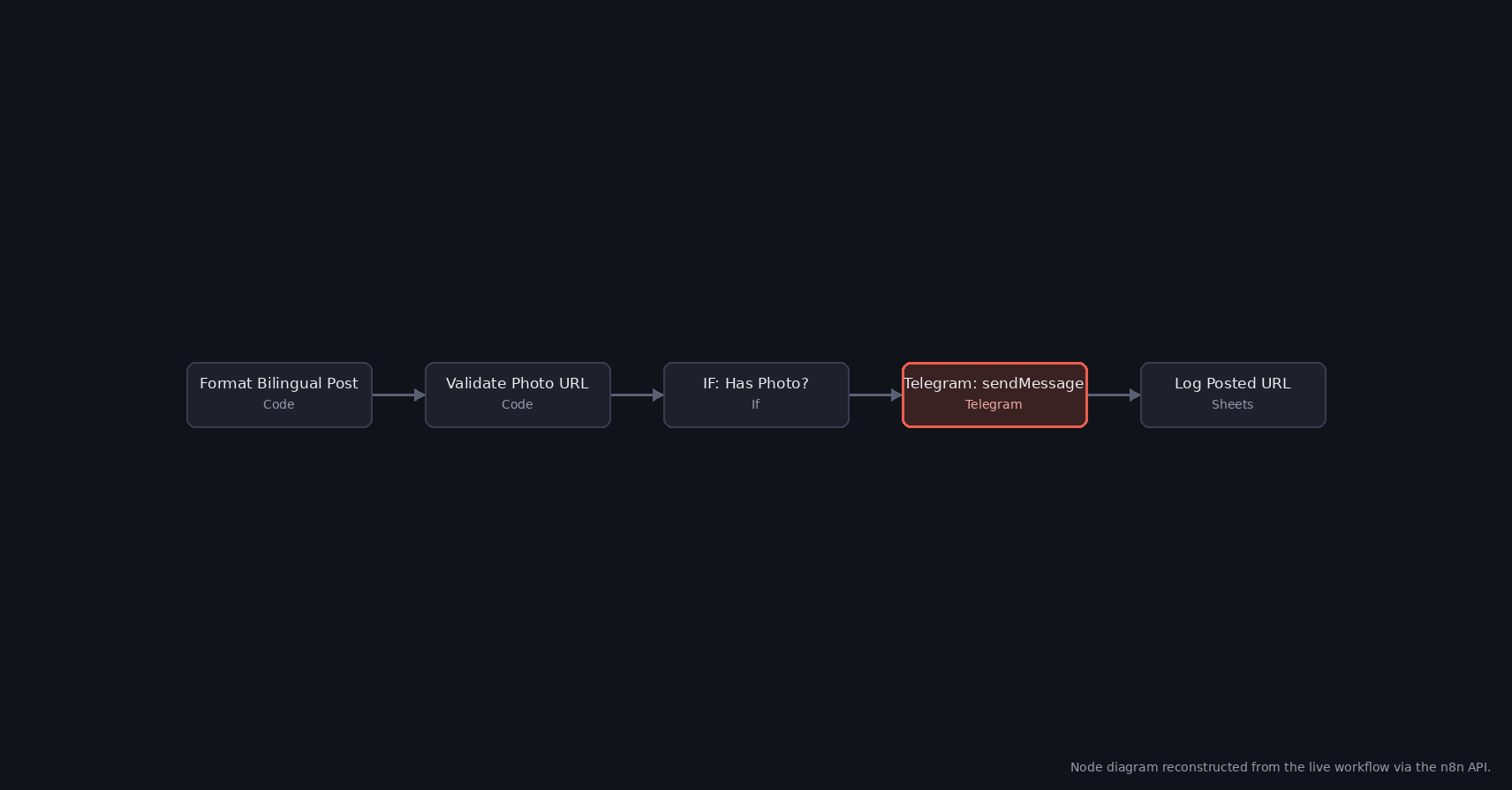
A post like any other, until it wasn't
The workflow pulls a story from an RSS feed, runs it through Groq to produce a bilingual title and body, and posts the result to a Telegram channel. It had been running on schedule for weeks without incident. Then one run failed at the Telegram: sendMessage node with a 400 response: Bad Request: can't parse entities: can't find end of the entity starting at byte offset 1049.
Nothing about the workflow's structure had changed. The node's configuration — chatId, a text expression pulling the generated title and body, appendAttribution: false — was the same one that had sent every prior post successfully. The only thing different was the content of that one message.
An error about formatting, in a message with none written
"Entities" in Telegram's Bot API terminology means Markdown or HTML formatting spans — bold, italic, links, code — inside a message. Nobody had written any formatting into this post; it was a plain generated title followed by a plain generated paragraph. But the node's additionalFields had no parseMode specified at all, and when that field is left unset, Telegram's API does not treat the text as plain — it applies its legacy Markdown parser by default. Any character that parser recognizes as a formatting marker gets treated as one, whether or not it was meant that way.
Byte offset 1049 landed inside the LLM-generated body text. Somewhere in there sat a bare * or _ — the kind of character that shows up naturally in generated prose (emphasis, an aside, a stray asterisk from a source snippet) without anyone writing actual bold or italic syntax. Telegram's Markdown parser saw the opening marker, scanned forward for a matching close, didn't find one before the message ended, and rejected the whole request rather than guess.
Why retries looked like the problem had gone away
Two follow-up executions minutes after the failure both succeeded, at the same node, with the same configuration. That wasn't a fix — it was survivorship. Each run generates fresh LLM text for a different source story, and the next two stories' generated text simply didn't happen to contain an unmatched formatting character in that particular pass. The node's actual exposure to this failure hadn't changed at all; it would resurface on the next post whose generated text happened to include a stray marker, on a schedule with no way to predict which run that would be.
The fix: stop asking Telegram to parse formatting it was never meant to see
The post was never designed to carry Markdown — title and body, plain text, nothing bolded or linked. The correct fix wasn't to sanitize or escape every possible Markdown character out of LLM-generated text (fragile, and easy to miss a case), it was to tell Telegram not to parse the text as Markdown at all: additionalFields.parseMode set explicitly to none. With no parse mode, Telegram delivers the text exactly as sent, byte for byte, with no entity scanning and nothing left to fail on.
The change was a one-field addition to the node's existing configuration — no change to the prompt, the RSS parsing, or anything upstream that produces the text.
What confirmed it was actually fixed
The node's live configuration was re-read via the n8n API after the change to confirm parseMode: none was actually saved, rather than trusting a green save button. The class of failure this closes is specifically about text that was never supposed to be formatted in the first place; a workflow that genuinely needs bold or linked text in its Telegram messages needs the opposite fix — keeping a parse mode, but escaping the small set of characters that mode reserves before the text is ever sent.
Telegram parse modes compared
| Parse mode | Characters with special meaning | Good for |
|---|---|---|
| None (plain text) | None | Generated text, user input, anything you don't control |
| HTML | <, >, & | Templates with a few bold words or links |
| Markdown (legacy) | *, _, `, [ | Simple fixed messages; avoid for generated text |
| MarkdownV2 | Many, including . - ! ( ) # + = | | Fixed templates where every variable part is escaped |
HTML mode is the easiest of the formatted modes to make safe, because only three characters need escaping.
If you do want formatting: escape the variable parts
When a message needs a bold title but the body comes from an LLM, keep HTML mode and escape only the generated text, before it goes into the template:
// Code node
const esc = s => String(s ?? '')
.replace(/&/g, '&')
.replace(/</g, '<')
.replace(/>/g, '>');
return [{ json: { text: `<b>${esc($json.title)}</b>\n\n${esc($json.body)}` } }];The order matters: & first, otherwise the ampersands of the other replacements are escaped again.
Reading "byte offset" in the error
Telegram reports the position in bytes, not characters. In text with umlauts, Cyrillic or emoji, one character takes two to four bytes, so the offset points further into the message than the character count suggests. To find the culprit, encode the message as UTF-8 and look at the bytes around that offset. In a bilingual post the problem is often in the second language, even when the offset number looks like it belongs to the first.
The other limit worth knowing in the same node: a Telegram text message can be at most 4,096 characters. Generated bilingual posts can reach that, and the error for it is different, so it is worth truncating before sending.
Frequently asked questions
What does 'can't parse entities' mean in Telegram?
Telegram tried to read the text as formatted Markdown or HTML and found a formatting marker without a matching end, such as a stray * or _.
Which parse mode should I use for LLM-generated text?
None, unless you need formatting. If you do, use HTML mode and escape <, > and & in the generated parts.
Why do retries sometimes make the error disappear?
Each run generates different text. The error only appears when the text happens to contain an unmatched marker, so successful retries don't mean it is fixed.
What is the maximum length of a Telegram message?
A text message can be at most 4,096 characters. Longer generated posts need to be shortened or split.