 n8n Automation Hub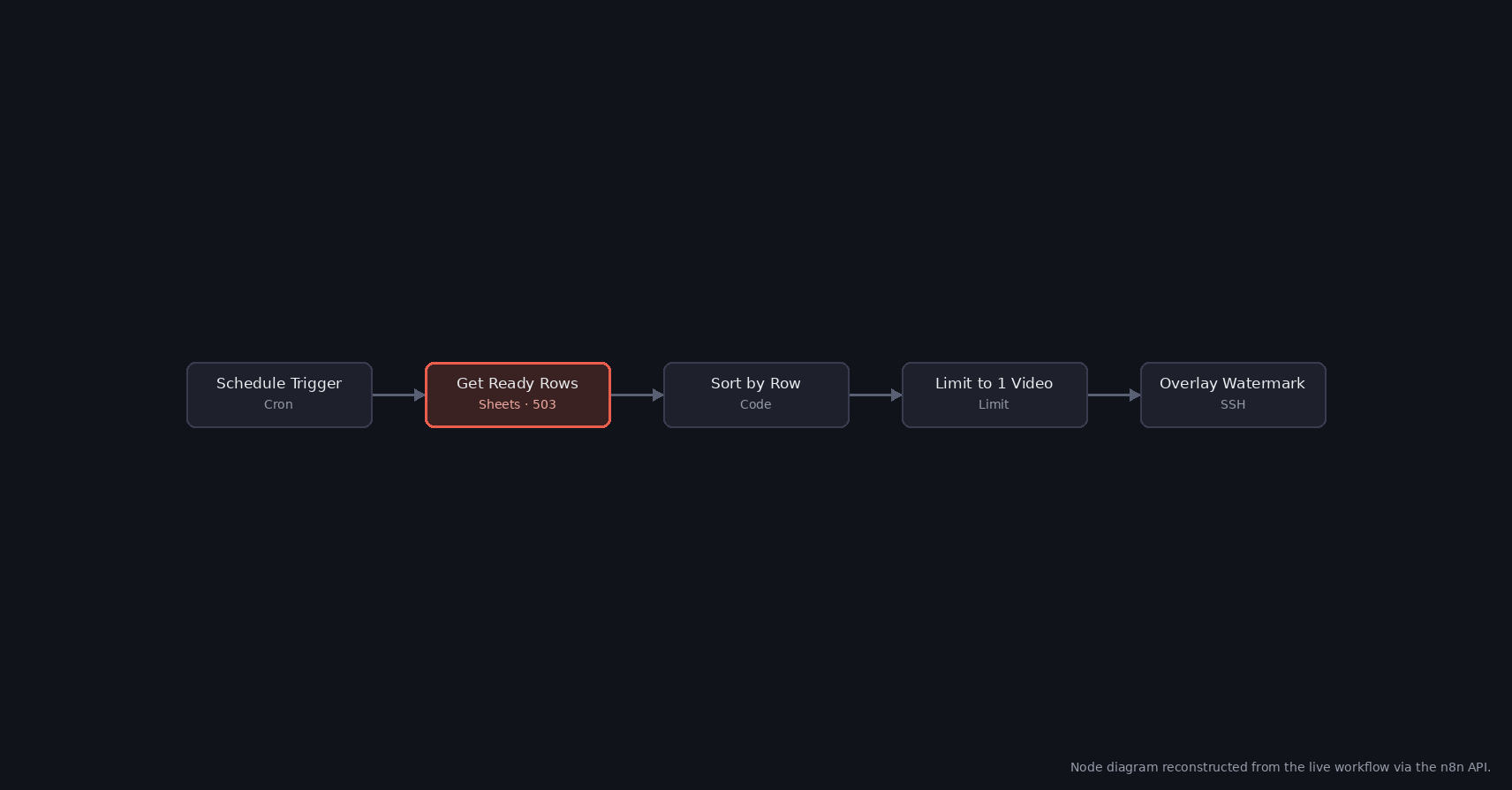
Same error, two workflows, no shared cause
Two Google Sheets nodes, in two workflows that share nothing except the same n8n instance and the same underlying Google Sheets API, failed on different days with the exact same message: 503 - {"error":{"code":503,"message":"The service is currently unavailable.","status":"UNAVAILABLE"}}. One was a "Get Ready Rows" read at the top of a scheduled YouTube Shorts publisher, filtering a queue sheet for rows marked status: ready. The other was an "Append News Log" write at the tail end of a news-digest pipeline, logging a posted story's URL after publishing it to Telegram.
Neither node's query was unusual, neither sheet was especially large, and neither workflow had just been edited. A 503 from a Google API means the service itself is temporarily unable to handle the request — it's Google's problem for that one call, not a misconfiguration on the calling end.
The actual damage: a silently skipped cycle, not a broken pipeline
In both cases, the workflow simply didn't run that cycle. The publisher's scheduled run came and went without picking a video to publish; the news-digest run came and went without checking or logging that story. Both workflows' next scheduled run, hours later, executed normally — the underlying Sheets stayed intact, no data was corrupted, and nothing needed manual repair. The only cost was one missed cycle each, which is easy to miss entirely unless something is specifically watching for gaps in a schedule that's supposed to fire multiple times a day.
That's the trap with transient-error skips: they don't look like anything happened. There's no corrupted row, no duplicate, no obviously wrong output to notice later — just a gap in the schedule that only shows up if you go looking at execution history.
Why neither node was equipped to survive it
Neither the Sheets read node nor the Sheets append node had retryOnFail set — checked directly against each node's live configuration, not assumed from the workflow's age or how long it had run without incident. Without it, n8n's default behavior for any node is to treat a single failed attempt as the final answer for that execution: no automatic second try, no backoff, straight to the error state. For a call to an external API that occasionally returns a transient 503 for reasons that have nothing to do with the request itself, that default turns an ordinary, self-resolving blip into a full skipped run.
The fix: retryOnFail on both nodes
Both nodes were updated via the n8n API to set retryOnFail: true, maxTries: 3, waitBetweenTries: 3000 — three attempts, three seconds apart, before the node is allowed to actually fail the execution. Three seconds is enough gap for a momentary Google-side blip to clear without meaningfully delaying either workflow's schedule; a slower-firing downstream node (an actual write with side effects, for instance) might reasonably want a longer wait or fewer tries, but a read at the top of a pipeline and a log-only append at the tail are both cheap to retry and safe to retry repeatedly.
This wasn't a code change or a workflow redesign — both nodes kept their exact same query, filters, and downstream connections. The only thing that changed is what happens in the few seconds after Google's API says no.
What confirmed it was actually fixed
Both nodes' configuration was read back from the n8n API after the update — retryOnFail: true, maxTries: 3, waitBetweenTries: 3000 on both — rather than trusting the API's 200 response on the update call alone. There's no way to force a real 503 on demand to test the retry path directly, so the fix stands on the setting actually being persisted and n8n's own documented retry behavior, not on a reproduced success. Any node in this environment that calls an external API on a schedule — Sheets, YouTube, Telegram, anything outside n8n's own control — is a candidate for the same setting; the two nodes fixed here were just the two that happened to get unlucky first.
Which errors deserve a retry
| Status | Meaning | Retry? |
|---|---|---|
| 500, 502, 503, 504 | The service had a problem | Yes, a few times with a pause |
| 429 | Rate or quota limit | Yes for per-minute limits, with a longer pause; no for daily quotas |
| 400 | The request itself is wrong | No, it fails the same way every time |
| 401, 403 | Authentication or permission | No, fix the credential or the sharing |
| 404 | Wrong spreadsheet or tab | No |
n8n's Retry On Fail retries on any error, so on nodes where a 400 is likely, keep maxTries low. Retrying a bad request three times only delays the real error.
Retries on writes: watch for duplicates
For a read, a retry is always safe. For an append it is not quite: if Google applied the first request but the response got lost, the retry appends the row a second time. For a log tab that is a harmless duplicate line. For a queue that other workflows read, it can mean a duplicate publish. Where that matters, write rows with a unique key and use an update-or-append operation on that key instead of a plain append, so a repeated write changes the same row.
Finding skipped runs after the fact
A skipped cycle leaves no trace except a failed execution in the history. Ways to see them:
- An error workflow that sends every failed execution to Telegram, including the node name and the error text.
- A weekly look at the n8n API's executions list filtered by
status=error, grouped by workflow. - For publishers: compare the number of published items per day with the schedule. Fewer posts than slots means something was skipped.
The settings used here, 3 tries 3,000 ms apart, are a reasonable default for any node that calls an external API on a schedule. In the n8n editor they are in the node's Settings tab, under Retry On Fail.
Frequently asked questions
Should I enable Retry On Fail for Google Sheets nodes?
Yes for scheduled reads and logs. A 503 from Google is usually gone within seconds, and three tries a few seconds apart turn a skipped run into a short delay.
Which HTTP errors should not be retried?
400, 401, 403 and 404 fail the same way on every attempt. Retrying them only delays the real error.
Can retrying an append create duplicate rows?
Yes, if the first request succeeded but the response was lost. Use a unique key with an update-or-append operation where duplicates matter.
Where are the retry settings in n8n?
In each node's Settings tab: Retry On Fail, Max Tries and Wait Between Tries in milliseconds.