 n8n Automation Hub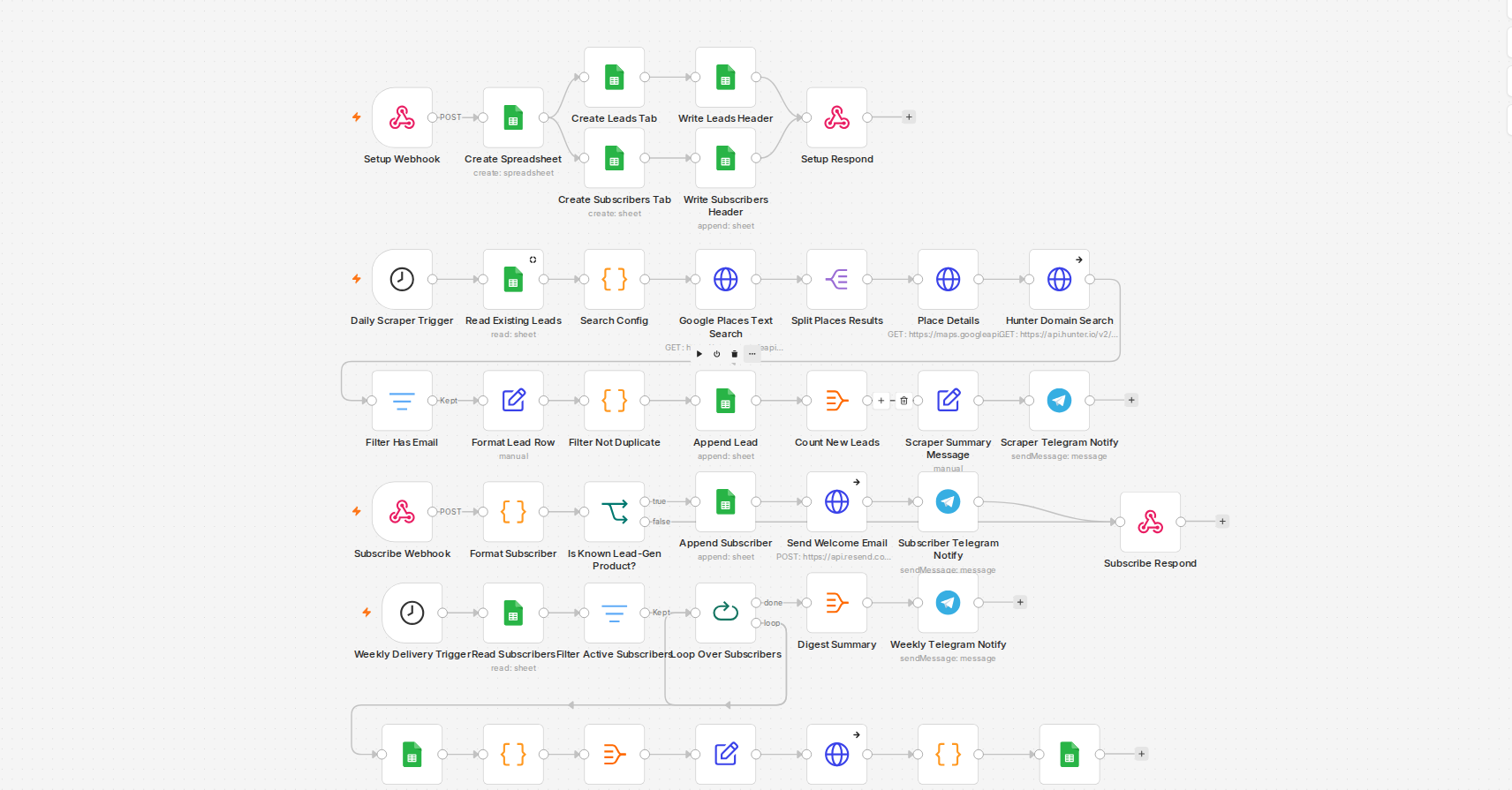
What a Gumroad sale webhook actually is
Gumroad's `resource_name=sale` Ping is registered once per seller account, not once per product. Every URL you've ever pointed at that Ping gets called for every sale across every product in the shop — a $9.99/month lead-gen subscription and a one-time PDF planner purchase both hit the exact same webhook. The workflow already had a `PRODUCT_MAP` lookup with a graceful `{niche:'unknown', location:'unknown'}` fallback for permalinks it didn't recognize, which looked like handling for this — but the fallback only filled in blanks. Nothing actually stopped the run when the permalink wasn't a real match.
Where the wrong data actually went
An unrecognized sale still walked the full chain: format the subscriber row, append it to the leads sheet, send a "welcome, here's your lead feed" email, post a Telegram notification. For a real product this account sells, that's fine — that's the point of the workflow. For anything else, it meant a wrong-context welcome email landing in a real customer's inbox and a Telegram message that named neither the product nor the buyer's actual purchase, because the fields it depended on had all fallen through to the unknown default. The bug had been flagged as a known gap during an earlier build and left alone as out of scope — it turned into an actual complaint the next time someone bought something unrelated.
The fix: fail closed, not gracefully
The format step now also returns a plain boolean — whether the permalink matched a real, known product — instead of just quietly substituting placeholder text. Right after it, an IF node checks that boolean directly. A known product continues into the append/email/Telegram chain exactly as before. An unknown one routes straight to the webhook's success response and stops — Gumroad still sees `{success:true}` either way, so nothing on Gumroad's side needs to know or care that the workflow silently declined to act.
Why the fallback data wasn't the actual problem
The instinct when a webhook receives data it doesn't recognize is to make the unknown case degrade gracefully — show "unknown" instead of crashing. That's the right instinct for data that's going to be displayed. It's the wrong instinct for a workflow deciding whether to act at all. A placeholder value that flows all the way through to a sent email or a fired notification isn't graceful degradation — it's still doing the thing, just with worse inputs. The fix wasn't better fallback text, it was a gate that decides membership before anything with a side effect runs.
Testing both directions before trusting it
Verifying this meant firing the webhook with a known permalink and confirming the full chain still ran unchanged, then firing it again with an unrelated one and confirming the run stopped at the IF node with nothing downstream executing. Only checking the fix on the case you're trying to prevent isn't enough — a gate that blocks the bad case but also silently blocks half the good ones is a different bug wearing the same shape.