 n8n Automation Hub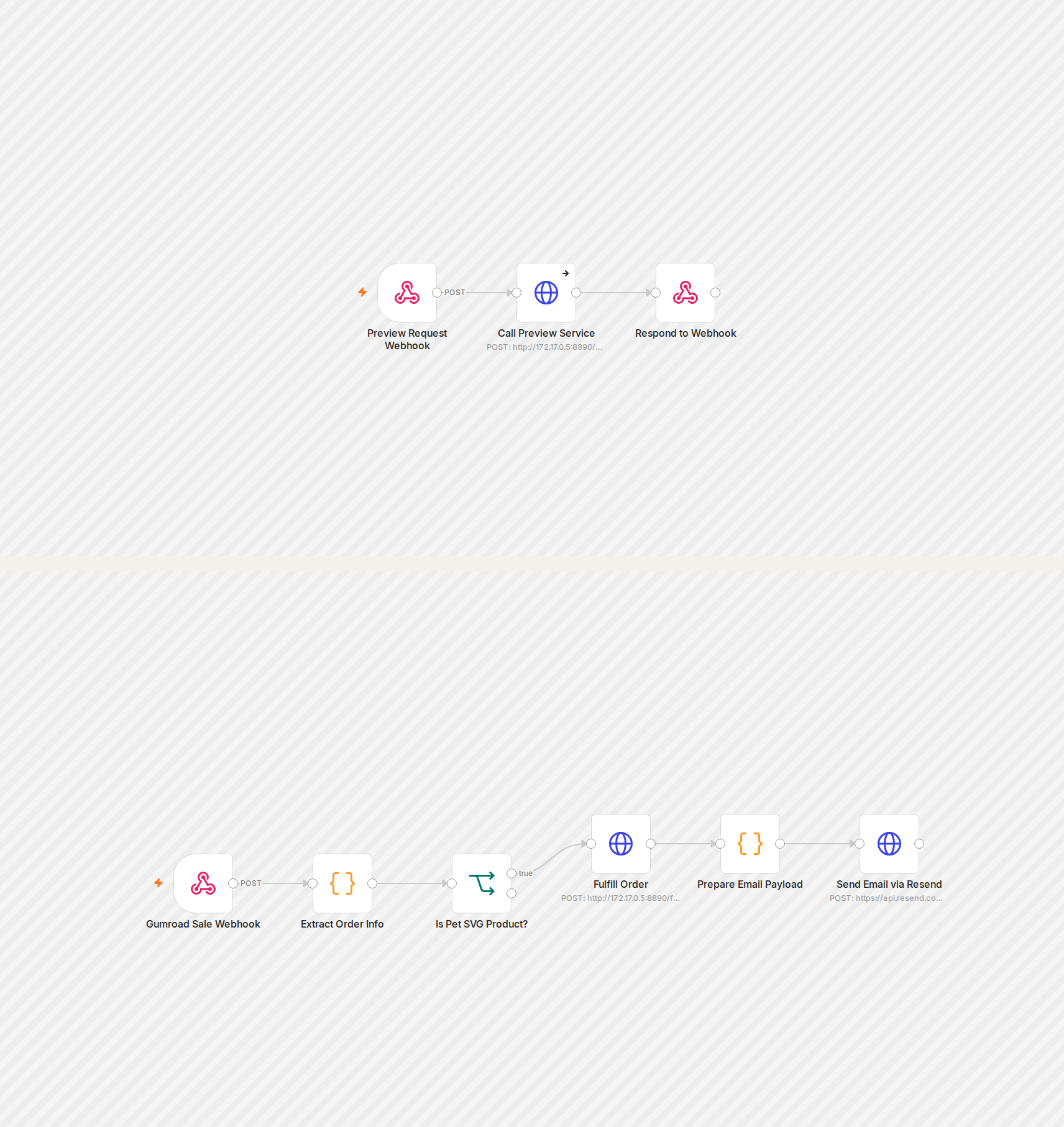
What the product does
A customer uploads a photo of their pet and gets back a cut-ready SVG file for a Cricut or Silhouette machine — a personalized silhouette, not a generic stock design. That means every order requires real image processing per customer: AI background removal to isolate the pet from its photo, then vectorizing the result into a clean, spline-based cut path. None of that is something an n8n Code node should be doing inline.
Why a separate Flask service, not an n8n Code node
The processing pipeline needs Python packages with real dependencies — an AI background-removal model, a vectorization library, image manipulation — running for multiple seconds per request. That's a workload for a proper service, not glue logic. So it lives in its own Dockerized Flask app with two endpoints: `/preview`, which runs the free, local, no-external-cost silhouette pipeline so anyone can try it before paying, and `/fulfill`, which is only ever called after a real sale and additionally calls out to an external AI model for a second, paid line-art style.
Workflow 1: a webhook that exists only because of a networking gap
The product's public tool page needs to call the Flask preview endpoint from the customer's browser. It can't reach the Docker container's internal address directly, and there's no server access to add a new public route for it. The fix was the simplest possible n8n workflow: a public webhook that does nothing but forward the incoming request straight to Flask's `/preview` and return the response synchronously. Not glamorous, but it's the one piece n8n is actually positioned to solve here — a reachable public URL in front of an unreachable internal one.
Workflow 2: the paid path, gated to one product
Gumroad's sale webhook fires for every product on the account, not just this one — the same account-wide quirk covered in an earlier workflow here. This workflow checks the sale's permalink matches this specific product before doing anything, then calls Flask's `/fulfill` endpoint, which regenerates both the free silhouette and the paid AI-styled SVG for that order, and emails both files as attachments. Two endpoints doing two different jobs, called by two different triggers, kept deliberately separate rather than one workflow branching on request type.
The token that went bad mid-build
Partway through testing, `/fulfill` started returning `401 Invalid token` on the specific call that reaches the external AI model — after several identical calls had just worked correctly. Reproduced the same failure from both the host machine and inside the container, which ruled out an environment or infra difference between them; the token itself had simply stopped being valid on the provider's side, roughly an hour after it had been issued. A fresh token resolved it immediately, no code changes needed. Worth writing down because the instinct when something that just worked suddenly returns an auth error is to suspect what you just changed — sometimes the honest answer is that nothing on your side changed at all.