 n8n Automation Hub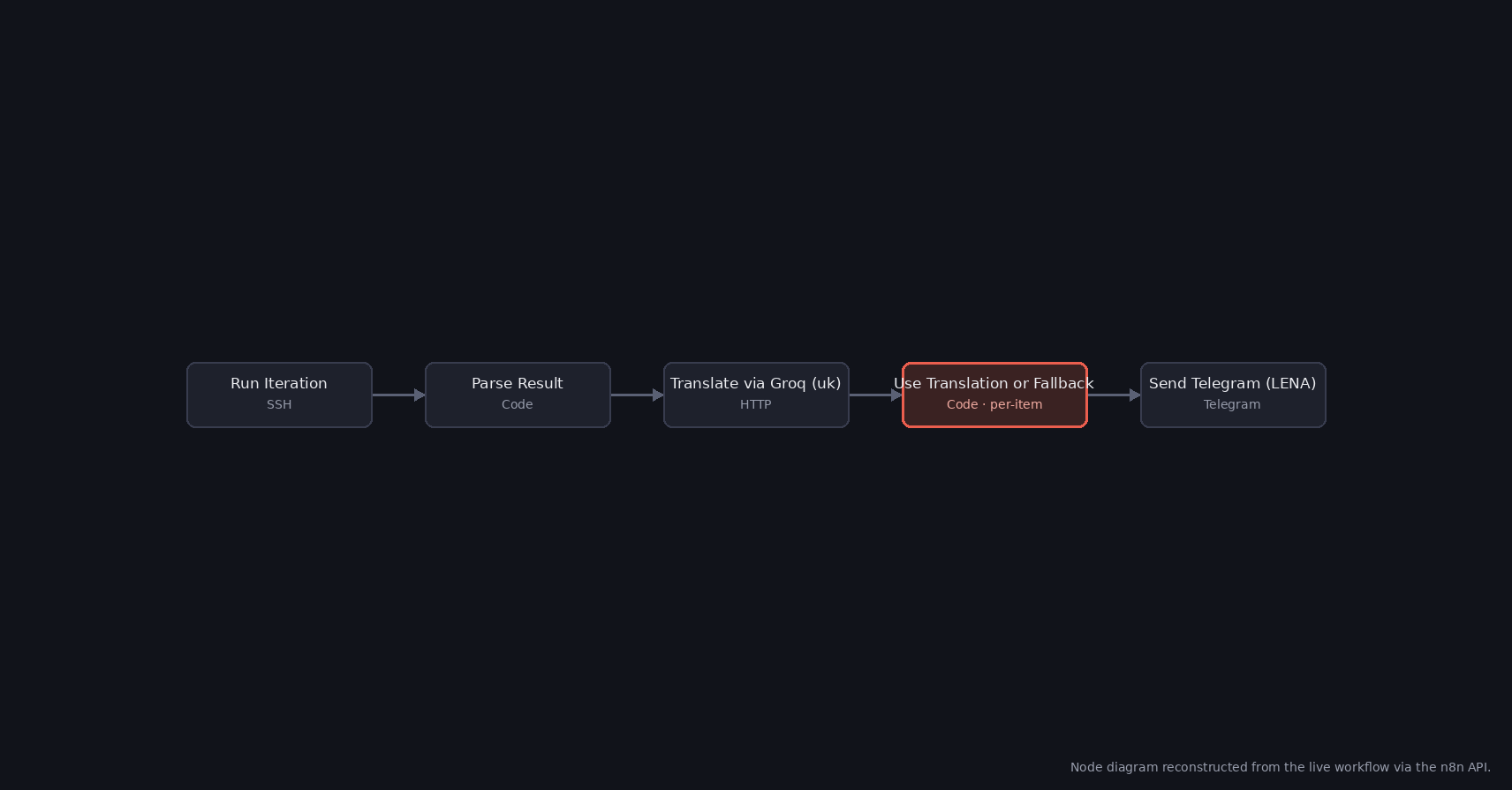
A translation step that only sometimes existed
The workflow behind this bug runs every 20 minutes: it SSHes into a script that produces a trading-bot status line, parses the result, sends it through Groq for a Ukrainian translation, and posts whichever text comes out to Telegram. The translation step is meant to degrade gracefully — if the Groq call fails or comes back empty, the node should fall back to the original untranslated text rather than break the whole run.
The Code node responsible for that fallback logic was small:
let text;
try {
  text = $json.choices[0].message.content.trim();
  if (!text) throw new Error('empty');
} catch (e) {
  text = $('Parse Result').item.json.text;
}
return [{ json: { text } }];
Every path through that code ends in the same place: a text string, wrapped in an object, wrapped in an array. On the surface, that looks like exactly the shape n8n Code nodes are supposed to return.
The error that didn't match the code
Executions started failing at this node with: A 'json' property isn't an object [item 0]. Reading the code line by line, there was no obvious way for text to end up as anything other than a string, and { json: { text } } is unambiguously an object with a json key pointing at another object. Nothing in the visible logic explained the message.
The missing piece wasn't in the code — it was in the node's configuration, one field over from the code editor: the node's execution mode was set to "Run Once for Each Item," not the default "Run Once for All Items." The two modes expect the code to return completely different shapes.
Why the return shape mattered more than the return value
In "Run Once for All Items" mode, the code runs a single time with access to every input item, and is expected to return an array of items — exactly the [{ json: {...} }] shape this code produced. In "Run Once for Each Item" mode, n8n instead calls the code once per item and expects each call to return a single item object directly — { json: {...} }, with no surrounding array.
With the mode set to per-item but the code still returning an array, n8n took the returned array as if it were the item itself, then looked for a .json property on it. Arrays don't have a .json property — [{ json: { text } }].json is undefined, not an object — which is exactly the validation failure the error message describes. The object was there; it was just nested one level deeper than the mode n8n was running in expected to find it.
The fix: match the mode to the return shape
Rather than reshape the per-item code to drop its array wrapper, the node was switched to "Run Once for All Items" and rewritten to loop explicitly:
const groqResults = $input.all();
const originals = $('Parse Result').all();
const out = [];
for (let i = 0; i < groqResults.length; i++) {
  let text = (originals[i] && originals[i].json && originals[i].json.text) || '';
  try {
    const content = groqResults[i].json && groqResults[i].json.choices && groqResults[i].json.choices[0] && groqResults[i].json.choices[0].message && groqResults[i].json.choices[0].message.content;
    if (content && content.trim()) text = content.trim();
  } catch (e) {}
  out.push({ json: { text } });
}
return out;
The fallback logic is identical — try the Groq translation, fall back to the original text on any failure — but now every input item is looked up explicitly by index instead of relying on the implicit single-item $json the per-item mode had been providing, and the final return out matches the all-items mode the node now actually runs in.
What confirmed it was actually fixed
The workflow runs on a 20-minute schedule with no manual triggering involved, so the fix was left to prove itself against real traffic rather than a one-off test. Every scheduled run since has completed with a clean Telegram message and no validation error at this node — the kind of bug that, once the mode/shape mismatch is understood, doesn't come back, because there's no remaining code path where the two can drift apart again.
The broader lesson generalizes past this one workflow: a Code node's two execution modes are not interchangeable defaults with the same contract. If a node is failing with a validation error about the shape of what it returned, checking the mode dropdown is often faster than re-reading code that already looks correct.