 n8n Automation Hub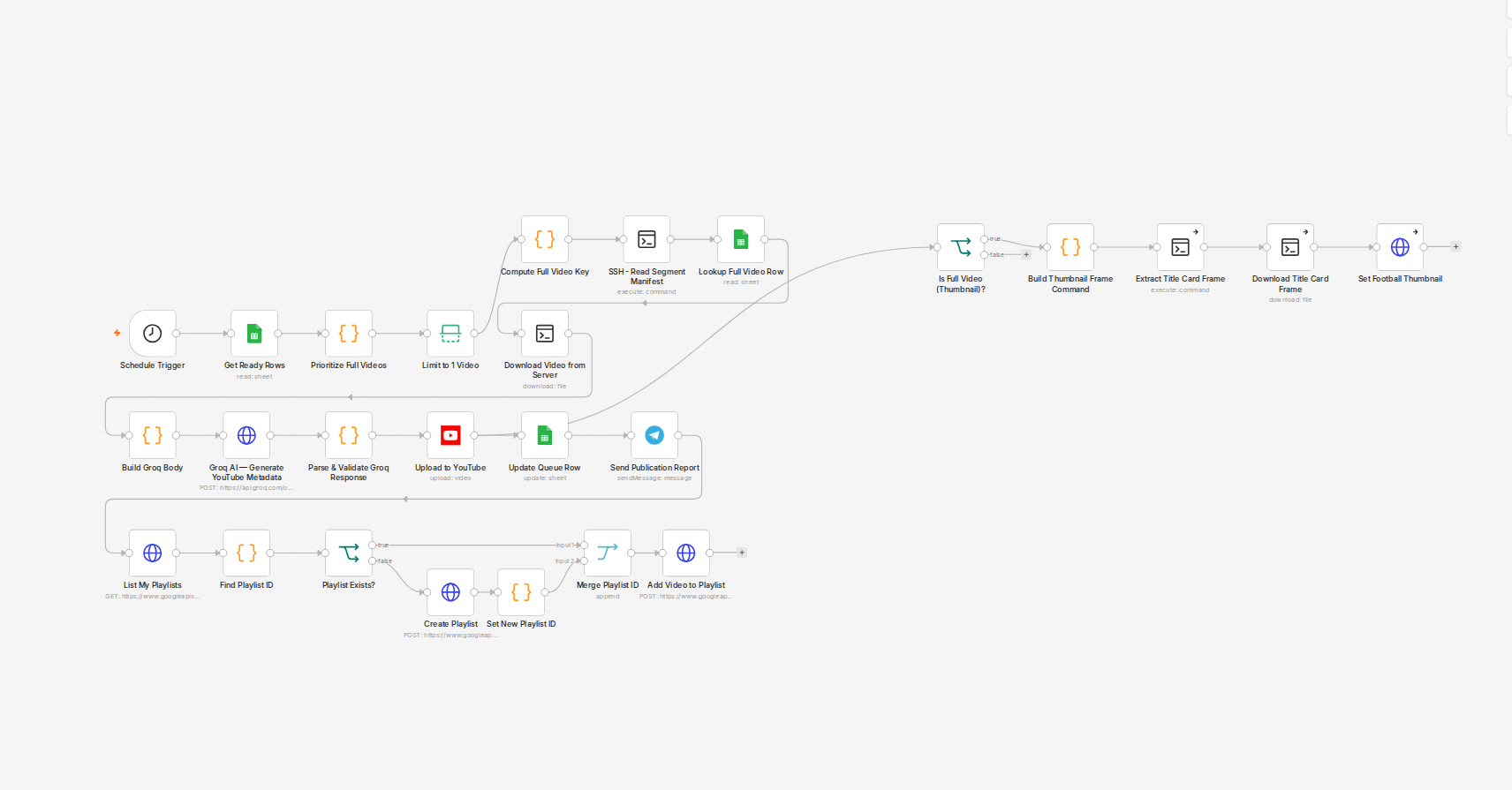
The first failure: a model that stopped existing
Groq had fully retired the chat model a YouTube publisher workflow used to generate titles and descriptions. Every call still pointed at that model name started returning "the model does not exist or you do not have access to it." I didn't trust that the reported workflow was the only one affected, so instead of patching that single node I grepped every active workflow for the same model string. Eight workflows used it: a publisher, an AI clipping pipeline, a personal Telegram bot, a news digest, a portfolio publisher, a German-language news channel, and two separate video pipelines. One bug report, eight actual outages waiting to happen.
Fixing it without guessing
Before picking a replacement, I hit the provider's models endpoint directly to see what was actually still valid on the account, rather than assuming whatever name showed up in a forum post. The replacement model returned clean JSON on a direct test call, so that went into all eight workflows. Deploying the fix wasn't the whole job — every one of these needed a deactivate/reactivate cycle after the update, because n8n doesn't reliably pick up a Code-node edit on a workflow that's already active. Skip that step and the old broken version keeps running in production even though the API says the new one saved.
The gap I flagged and left alone
One node used the dead model specifically for image understanding, not text. The replacement I'd picked is text-only, and the provider's current lineup has no vision-capable chat model in it at all right now. Renaming the model stopped the 404, but sending it a photo fails differently now — it just doesn't accept image input. I noted it and moved on rather than forcing a fix that didn't have a real answer yet.
The second incident, hiding inside the first fix
A few days later, the German-language news channel published nothing for the day, silently — the n8n execution showed success. The replacement model I'd swapped in is a reasoning model: it spends part of its token budget on a hidden reasoning field before it ever writes the actual answer, and if that budget isn't sized with headroom, the real JSON response gets cut off mid-string. A direct API test confirmed it: nearly all of a 4,200-token budget had gone to reasoning nobody asked for, leaving almost nothing for the actual output. Most of these workflows had a catch block around the JSON parse, so the failure didn't throw an error — it just quietly fell back to an empty default and reported success anyway.
What that actually cost
I went back through every workflow touched by the first fix and found four more already broken the same way, in various stages of damage. The worst case: a lyrics-video pipeline had already published two videos live on YouTube with the title literally set to the string "unknown" and an empty description, because nothing downstream caught the truncated response before it reached the upload step. I fixed the metadata on both after the fact, then went through and added a low reasoning-effort setting plus properly-sized token budgets everywhere this model touches a JSON response, instead of waiting for each workflow to fail on its own schedule.
The actual lesson
A model name is not a fire-and-forget setting. The deprecation was the provider's fault; the truncation bug was mine, and it's the more dangerous of the two because it doesn't look like a failure from inside n8n. Anything that swaps in a reasoning-capable model on a workflow doing structured JSON output needs its token budget checked before it goes live, not after something publishes with a blank title.
Finding every workflow that uses a model
The model name sits in different places depending on how the call is built: in the JSON body of an HTTP Request node, inside a Code node that builds the body, or in a dedicated chat model node. A text search over the exported workflow JSON catches all three. With the n8n API that is a short script: fetch every workflow, serialize it, and search for the model string. On this instance the search found eight workflows when the bug report mentioned one.
Keeping the model name in one place makes the next migration a one-line change. A practical way is to read it from an environment variable or a single config row that every workflow reads, instead of typing it into each node.
Reasoning models need a different token budget
A reasoning model spends part of its completion budget on reasoning before it writes the answer. For structured JSON output that changes two settings:
- Reasoning effort. Groq's gpt-oss models accept a
reasoning_effortparameter. For formatting tasks such as titles, captions or a JSON script,lowis usually enough and leaves most of the budget for the answer. - Token limit. Leave clear headroom above the expected answer length. If the answer is around 1,500 tokens, a limit of 2,000 is too tight for a reasoning model.
And check finish_reason in the response. length means the answer was cut off, and the parse step should fail, not fall back to defaults.
A migration checklist for the next deprecation
- Search all workflows for the old model name, including inactive ones.
- Check the provider's model list for a replacement that supports what each workflow needs: JSON output, vision, context length.
- Test the replacement with a real prompt from each workflow and inspect the full response, including token usage.
- Update, then deactivate and reactivate active workflows so the change is really live.
- For a few days afterwards, read what the workflows published, not just their execution status.
Groq publishes a deprecations page with shutdown dates. Checking it once a month costs a minute and turns a surprise outage into a planned change.
Frequently asked questions
How do I find all n8n workflows using a deprecated model?
Export every workflow through the n8n API and search the JSON for the model name. That finds it in HTTP bodies, Code nodes and model nodes alike.
Why did the replacement model return truncated JSON?
It was a reasoning model, which spends part of its token budget on reasoning before the answer. With a tight limit, the JSON was cut off mid-string.
How do I prevent truncation with reasoning models?
Set reasoning effort to low for formatting tasks, give the token limit clear headroom, and treat finish_reason 'length' as a failure.
Do I need to reactivate a workflow after editing it?
On this instance, active workflows did not reliably pick up Code node edits until they were deactivated and activated again, so it is part of the checklist.