 n8n Automation Hub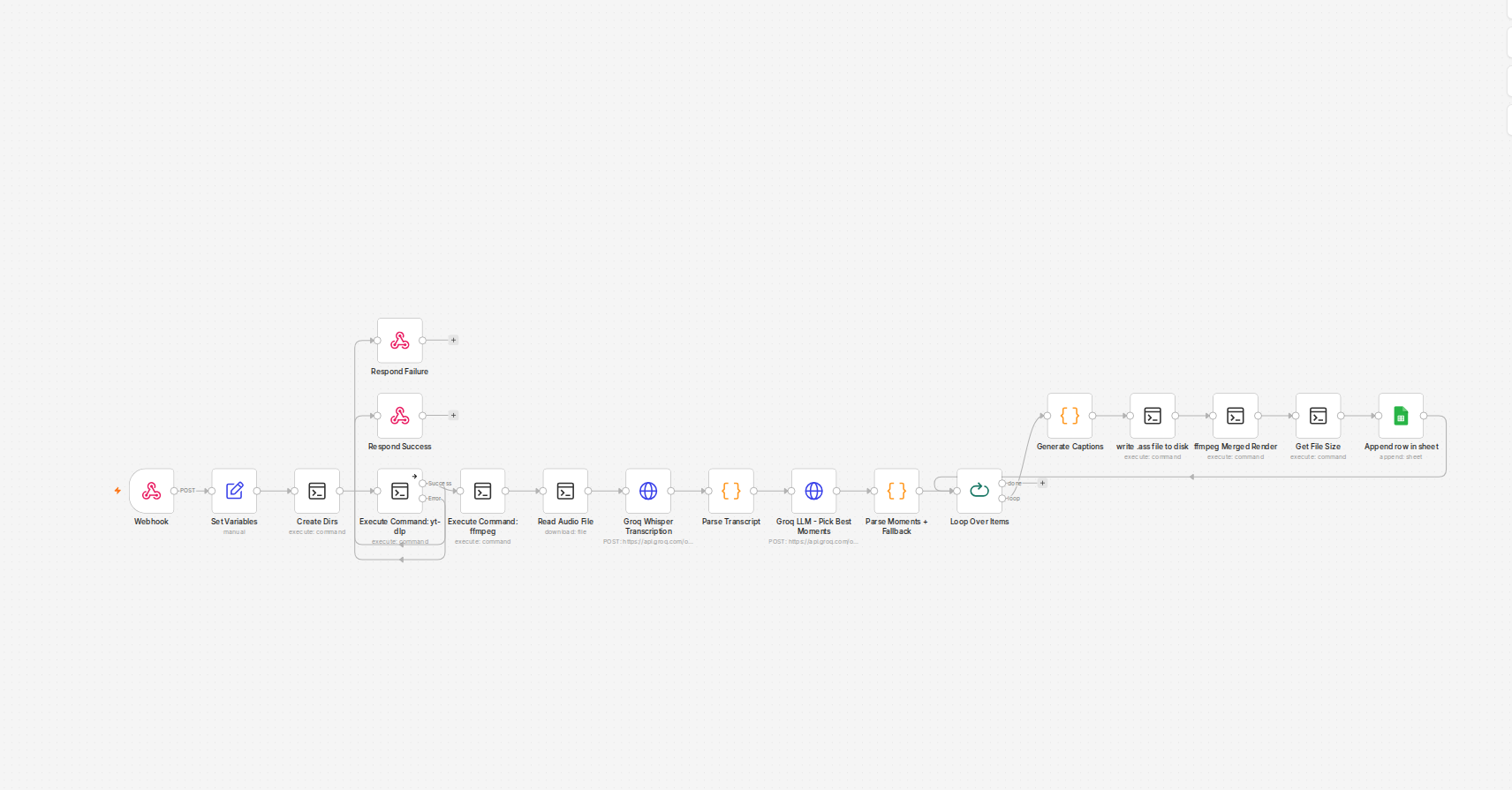
A pipeline that worked, right up until it met a real episode
The clipping pipeline's job is simple to describe: take a long video, pull the audio out with ffmpeg, transcribe it with Groq's Whisper API, hand the transcript to an LLM to pick the best moments, then render short clips from the result. Every piece of that had been tested — on short clips, a few minutes each, built specifically to exercise the pipeline without waiting around for a real download and a real transcription every time.
The first real production input was a podcast episode running close to seventy minutes. It failed at the very first network call the pipeline makes after extraction — the request to Groq's Whisper endpoint — with Request Entity Too Large.
The error Groq actually returns
The extracted audio file for that episode came out at 34.2MB. Groq's Whisper API has a hard 25MB limit per request, and the API doesn't chunk or downsample anything on its end — it just rejects the file. Nothing about the short test clips had ever come close to that ceiling, which is exactly why the bug had stayed invisible through every earlier test run.
The ffmpeg extraction step was set to -c:a libmp3lame -b:a 64k -ar 16000 -ac 1 — 64kbps mono, 16kHz sample rate. That's a perfectly reasonable setting for a two-minute test clip. It's also a setting that scales linearly with runtime, and nobody had done the arithmetic for a seventy-minute file before this ran.
Why a bitrate change was the right fix, not a workaround
The tempting quick fix here is to catch the error and split the audio into chunks before sending it — more moving parts, more places for the pipeline to break. The actual fix was smaller: drop the extraction bitrate to 32kbps mono. Whisper's transcription quality doesn't meaningfully degrade at 32kbps for spoken-word audio — it isn't music, there's no reason to protect frequency range that speech doesn't use — and cutting the bitrate in half cuts the file size in half for the same runtime.
The number that made the fix durable, not just a patch
32kbps mono at 16kHz stays under Groq's 25MB limit up to roughly 104 minutes of audio. That's not a guess — it's the actual ceiling this specific setting buys, and it's comfortably above every episode length this show has run so far. The fix isn't “make this one episode work,” it's “make the whole show's realistic episode-length range work without hitting this again,” which is the difference between a fix and a patch that fails again on the next slightly-longer episode.
What I'd check before the next long-form input
Any pipeline step whose resource cost scales with input length needs its test data to actually reach production scale at least once before going live — a two-minute test clip cannot surface a limit that only bites past the 25-30 minute mark. If a future episode runs past 100 minutes, the same math says drop further, to 24k or 16k, or split the audio into chunks before transcription instead of relying on bitrate alone.
The arithmetic, so you can size your own settings
For a constant-bitrate MP3, file size is bitrate times duration. One minute at 32 kbit/s is 32,000 / 8 x 60 = 240,000 bytes, about 0.24 MB, plus a little container overhead.
| Bitrate (mono) | Size per minute | Longest audio under 25 MB |
|---|---|---|
| 64 kbit/s | about 0.48 MB | about 52 minutes |
| 48 kbit/s | about 0.36 MB | about 69 minutes |
| 32 kbit/s | about 0.24 MB | about 104 minutes |
| 24 kbit/s | about 0.18 MB | about 138 minutes |
| 16 kbit/s | about 0.12 MB | about 208 minutes |
The 70-minute episode at 64 kbit/s came out at 34.2 MB, which matches the table. Leave some headroom below the limit rather than aiming for 24.9 MB.
The extraction command
ffmpeg -y -i input.mp4 -vn -ac 1 -ar 16000 -c:a libmp3lame -b:a 32k audio.mp3-vn drops the video, -ac 1 makes it mono and -ar 16000 sets a 16 kHz sample rate. Whisper models work on 16 kHz audio internally, so a higher sample rate only makes the file bigger.
A size check before the upload
Bitrate alone fixes the known episode lengths. A guard makes sure a much longer file fails with a clear message instead of an API error:
SIZE=$(stat -c %s audio.mp3)
if [ "$SIZE" -gt 24000000 ]; then echo "audio too large: $SIZE bytes" >&2; exit 3; fi
Check the SSH node's exit code afterwards, because the SSH node reports a non-zero exit code as data rather than failing.
When the audio really is too long
Above about three hours even 16 kbit/s isn't enough, and quality starts to suffer. Then the file has to be split, for example with ffmpeg -f segment -segment_time 1800 into 30-minute parts. Each part is transcribed separately, and the timestamps of every part after the first have to be shifted by the part's start time before the transcripts are joined. Cutting in silence avoids splitting a word, but fixed-length parts with a few seconds of overlap are simpler and work well enough for clip picking.
Frequently asked questions
What is the file size limit for Groq's Whisper API?
This pipeline hit a 25 MB limit per request on the account's plan. Check Groq's documentation for the current limit on your tier.
What bitrate should I use to transcribe long podcasts?
32 kbit/s mono at 16 kHz keeps audio under 25 MB up to about 104 minutes and works well for speech.
Does a lower bitrate hurt transcription quality?
For spoken word at 32 kbit/s mono, quality was not noticeably affected here. Speech doesn't need the frequency range that music does.
What if my audio is longer than about 100 minutes?
Lower the bitrate further for moderately longer files, or split the audio into parts and shift each part's timestamps before joining the transcripts.